
Rural Connectivity
From the Kitchen Table to the Back Forty: A Rural Connection Checklist
November 1, 2026 · 5 min read · Nexoria Wireless
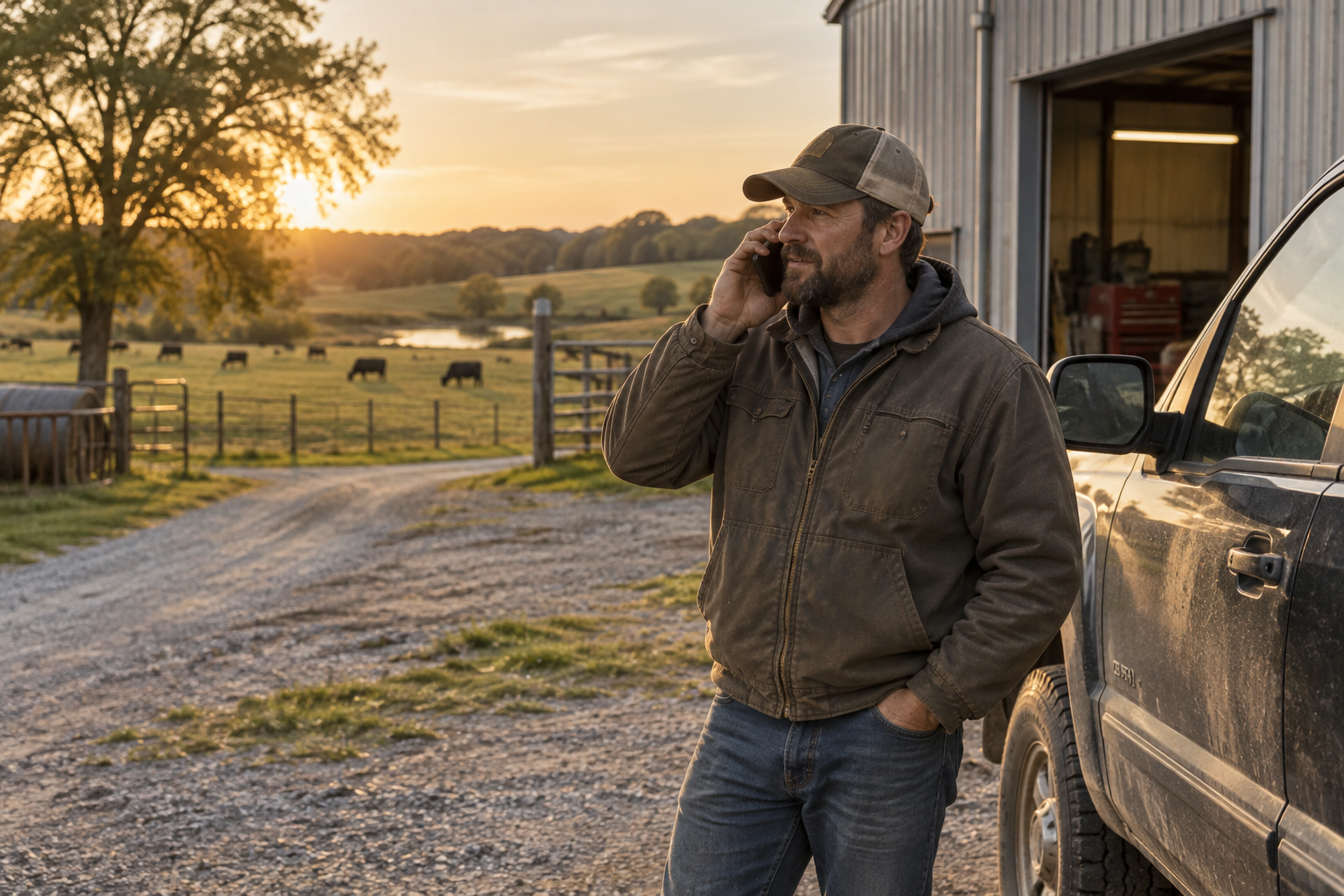
A rural day rarely happens in one place. You might start at the kitchen table, head to a livestock barn, drive into town for parts, and finish with paperwork in the shop. Your phone helps hold those stops together: a call about a delivery, a message from family, directions to a job. Dependable service matters because missed connections can mean extra miles, lost time, or another task waiting until tomorrow. The best place to start isn’t a list of phone features. It’s a look at where and how you actually use your phone.
1. Map your day, not just your address
A home address is only one point in a rural routine. For farmers, ranchers, truckers, and tradespeople, the places between destinations matter, too.
Before choosing service, write down the places where you regularly need a connection. Keep the list practical:
- Home: The kitchen, home office, porch, and driveway.
- Work: The barn, shop, field entrance, jobsite, or loading area.
- Town: The supply store, school pickup area, and places where you meet customers.
- Road: Your regular commute, delivery route, or drive between properties.
Use a coverage map as a starting point, not a promise about every room or mile. Rural terrain, buildings, distance, and other conditions can affect a connection. A hill or metal-sided shop can make your experience different from someone nearby.
You can check Nexoria’s coverage information as part of that review. Nexoria offers extensive nationwide 5G and 4G LTE coverage; coverage and speeds vary by location, device and conditions.
When possible, check your phone in the places you actually use it. Notice whether calls connect and whether the tasks you need work—not just how many signal bars appear. Those everyday results are more useful than a single glance at the screen.
2. Try simple signal fixes before changing everything
A weak connection doesn’t always mean you need a different phone or a larger data plan. Start with small, practical checks.
If a call struggles indoors, try a different room, a window, or a spot outside when it’s safe to do so. Metal walls, thick building materials, and the layout of a structure can weaken a signal. The desk inside the shop may behave differently from the open doorway.
If your phone seems stuck without service, briefly turning airplane mode on and back off may help it reconnect. Restarting the phone is another basic troubleshooting step. Neither creates coverage where none is available, but either may clear a temporary connection problem.
Keep the phone’s software updated, and check your battery before a long workday. Carry a suitable charger or power bank when you’ll be away from an outlet. A good connection won’t help much if the phone has no power.
On the highway, make checks only when safely parked. Download maps or work documents ahead of time when the app supports offline use. That won’t improve the signal, but it can keep a routine task from depending on a live connection at every moment.
3. Let home or shop Wi-Fi help where it can
Sometimes the hardest place to make a call is the building where you spend the most time. If you have reliable internet and Wi-Fi there, Wi-Fi calling may be worth checking.
Wi-Fi calling lets a compatible phone and service use a Wi-Fi connection for calls. Availability depends on the device, service, and setup. Don’t assume it is included or enabled; ask your provider whether your exact phone and plan support it, then follow its setup instructions.
Once configured, try an ordinary call from the room where you usually work. Check whether the Wi-Fi connection itself is steady. A weak Wi-Fi signal at the far end of a building can cause its own problems.
This is especially worth considering for a home office or workshop with a reliable internet connection but inconsistent indoor cellular reception. It is not a replacement for checking service along your route, and it won’t help away from Wi-Fi. Think of it as one possible tool for a specific place.
4. Pick a phone for your workday, not the display shelf
Farm chores and outdoor jobs ask different things of a phone than a quiet desk does. Dust, wet weather, rough handling, and long hours away from a charger should all shape your shopping list.
A rugged phone may suit that routine, but compare individual models. Don’t assume every rugged device has the same water resistance, drop protection, battery capacity, or controls. Read the specifications and the limits behind any durability rating.
Think about everyday handling, too. Can you carry it comfortably? Is the display easy for you to read? Does it have the functions your work requires? If you use gloves, check the model’s stated support rather than assuming it will respond the way you expect.
For someone who wants a simpler experience, a focused phone may be worth a look. Start with the tasks you need, then check whether the model supports them.
Nexoria sells rugged and focused phones, including Ulefone Armor models and RugOne models. Many support eSIM and physical SIM. You can browse Nexoria’s phones and compare specific models against your workday. A tough build can help meet handling needs, but it is not a guarantee of stronger reception.
5. Choose a plan around tasks, not guesswork
Coverage and data allowance answer different questions. Coverage concerns whether you can connect in a place. A data allowance concerns how much mobile data your plan includes. Moving to a larger allowance does not fix a weak signal.
Review your recent mobile data use in your phone’s settings or account records. Then consider what might change during harvest, a busy contracting season, or more time on the road. Video and large file transfers can use more data than simple messages or occasional searches.
Domestic calling minutes matter, too, especially when much of your day involves customers, suppliers, or family calls.
Nexoria’s monthly options include:
- Nexoria Essential: $18/month, 5GB data, and 600 domestic minutes.
- Nexoria One: $29/month, 10GB data, and 800 domestic minutes.
- Nexoria Plus: $33/month, 15GB data, and unlimited domestic talk.
- Nexoria Max AI: $65/month, 40GB data, unlimited domestic talk, and 10GB of hotspot.
Nexoria plans can be upgraded anytime to a larger plan. Choose around your actual needs rather than buying extra data in hopes of improving reception.
The bottom line
Rural connectivity is about making your real day work: the house, the shop, the pasture, and the drive between them. Check those places, use simple troubleshooting steps, and choose a phone and plan for the jobs you need done.
Nexoria Wireless is a veteran-owned U.S. prepaid wireless company based in Johnston, Iowa. Its brand line is “Less Noise. More Connection.” That starts with practical choices and realistic expectations.
Ready to take the first step? Review coverage, then make a short checklist of the places and tasks your next phone setup needs to handle.
Coverage and speeds vary by location, device and network conditions. Plans and prices may change. Cricket Wireless is a trademark of its owner; Nexoria Wireless is not affiliated with Cricket Wireless.
Ready for less noise and more connection?
Keep your number, pick a rugged or focused phone, and get real human support.