Rugged Phones
The Work-Glove Test: Shopping for a Rugged Phone
November 18, 2026 · 5 min read · Nexoria Wireless

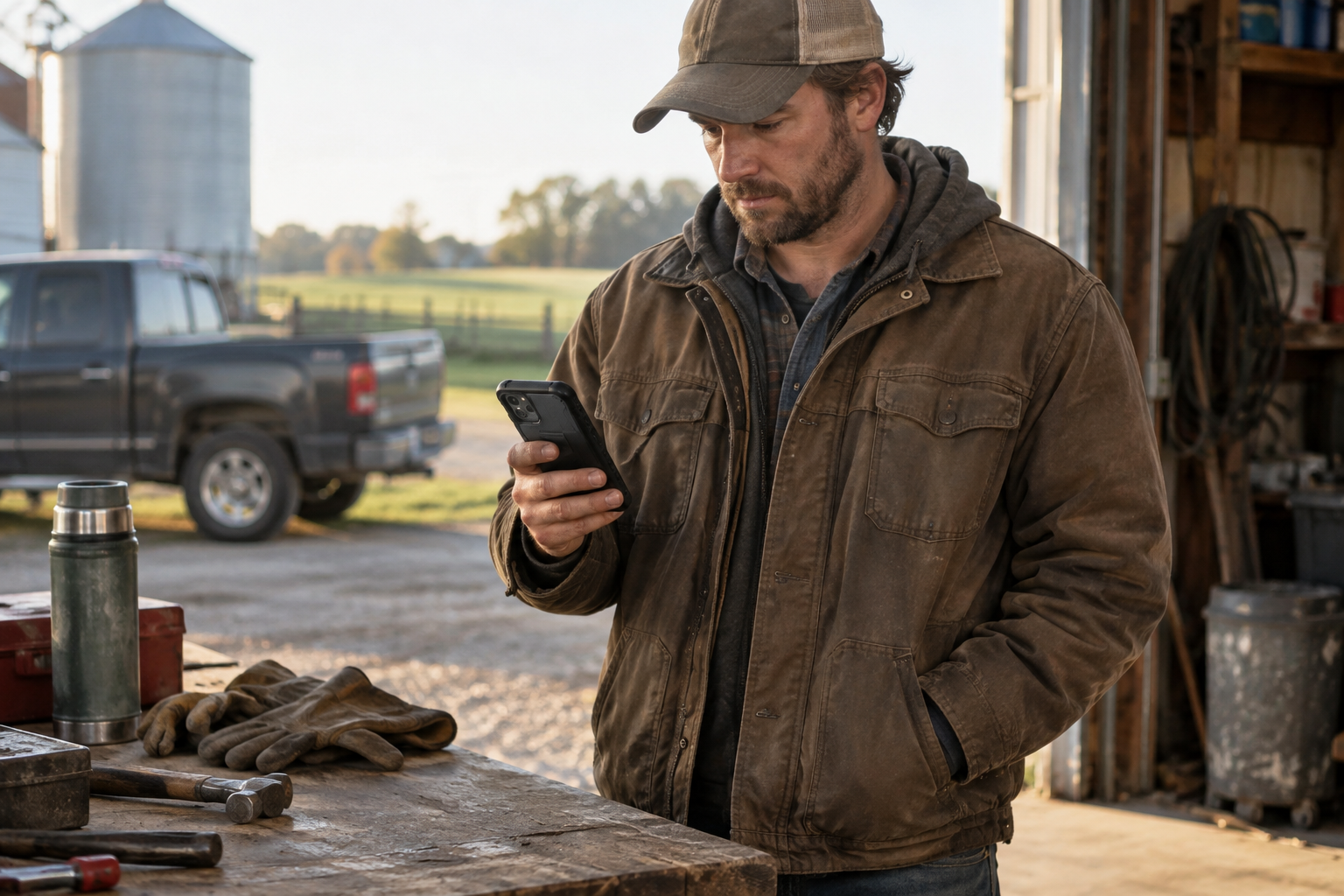
Before you shop for a rugged phone, take a look at your work gloves. Worn palms, dusty seams, and stiff fingertips tell a story about what your hands deal with all day. Your phone has to fit into that same routine. For farmers, truckers, construction crews, and outdoor workers, the right choice is not just about a tough-looking case. It is about handling the small frustrations that pile up between the first chore and the drive home.
1. Start with the pocket-to-ground test
Think about where you carry your phone and when you pull it out. A farmer might reach for it beside a feed bin. A contractor might check a message while standing on a gravel driveway. A trucker might set it in a cab pocket between stops.
Those habits tell you more than a dramatic product photo. If your phone regularly slips from a shallow shirt pocket, grip and fit deserve as much attention as drop protection.
When comparing phones, ask:
- Can I hold it securely with one hand?
- Does it fit fully inside the pocket I actually use?
- Is its weight comfortable over a long shift?
- What does the manufacturer say about tested drop resistance?
- Are any limits or care instructions attached to that claim?
Nexoria’s rugged phone lineup includes Ulefone Armor and RugOne models. They are worth considering for a work-first phone search, but compare the exact models rather than treating every rugged phone as the same tool.
2. Match dust and water protection to your chores
“Outdoor work” covers a lot of ground. Dry fieldwork brings different concerns than a rainy fence repair. A woodworking area is different from a muddy equipment yard.
Write down what your phone actually encounters. Is it fine dust inside your pocket? Rain while you move between buildings? Damp gloves after handling wet gear? That list gives you something specific to compare against a phone’s published protection details.
Look for the model’s stated dust and water resistance, along with its care instructions. Do not assume that resistance to one kind of exposure means protection from every kind. A water-resistance claim is not a reason to hose down a phone or ignore instructions about its ports and covers.
Also think about cleanup. A phone that spends its days near soil, sawdust, or grease needs a care routine you can follow without much fuss.
The useful question is not, “Does this look tough?” It is, “Do the stated protections match the mess I work around?” That keeps the decision grounded in your job.
3. Give battery life and sound a real job description
Long battery life matters most when charging is inconvenient. For one person, that means hours in the field. For another, it means moving among job sites without a dependable place to plug in.
Before comparing battery claims, think through your busiest day. Navigation, calls, photos, screen brightness, and other phone use can change how long a charge lasts. A battery-capacity number is useful, but it does not promise a certain number of work hours.
Ask yourself whether charging fits naturally into lunch, a parked break, or the end of the shift. Then compare each model’s published battery and charging details with that routine. Check what charging accessories are included, too.
Sound deserves the same practical approach. A louder speaker may be worth looking for, but volume alone does not tell you how clear a voice will sound. Review the exact model’s speaker information and available sound controls.
For truckers, make these checks while parked. For anyone working around loud equipment, judge the phone during a break away from the noise. A phone speaker should not have to compete with the whole job site.
4. Try the controls with your actual gloves
Glove-friendly use sounds simple until you remember how different gloves can be. Thin work gloves, insulated winter gloves, and heavy leather gloves do not handle a touchscreen the same way.
If a model lists glove support or a related touch setting, check its stated limits. Do not assume it works with every pair you own. If you can handle the phone before deciding, bring the gloves you use most often.
Try a few ordinary tasks in a safe, stationary spot: wake the screen, answer a call, open the camera, and adjust the volume. Notice whether you can find the buttons by feel or whether you keep shifting your grip.
Screen size is only part of the answer. Button placement, phone width, and how securely it sits in your hand all matter.
This is where a task-based comparison pays off. A feature can sound useful on a product page and still be awkward with your gloves. The goal is fewer repeated hassles, not the longest feature list.
5. Compare the whole setup, not just the shell
Once you narrow down the hardware, check how the phone will fit your service needs. Rugged construction and wireless coverage are separate questions. A tough phone does not remove the need to check service where you live and work.
Nexoria offers extensive nationwide 5G and 4G LTE coverage; coverage and speeds vary by location, device and conditions.
For a practical starting point, write down your three must-haves. Maybe they are documented dust protection, comfortable glove use, and battery life suited to your routine. Keep those separate from features that would simply be nice to have.
Nexoria is a veteran-owned U.S. prepaid wireless company based in Johnston, Iowa. Its rugged and focused phones offer a place to start comparing options, and every order ships free. Many phones support eSIM and physical SIM, so check the exact model before choosing. Customers can activate after the phone arrives.
Already have a phone that handles the work? Review Nexoria’s bring-your-phone options before replacing it. You can also learn about keeping your number as part of planning a switch.
For questions along the way, Dumok AI provides answers and help, while real people handle sensitive account actions. That gives you another part of the setup to consider beyond the phone itself.
The bottom line
Your next phone should match your real chores, not an imaginary toughest day. Use your pockets, gloves, charging routine, and work conditions to build a short checklist. Then compare the exact Ulefone Armor or RugOne model against it.
Ready to put that checklist to work? Explore switching to Nexoria and choose a setup that fits the way you work.
Bring your number and your phone to Nexoria
Keep the number everyone already knows. Bringing your number to Nexoria Wireless is free — start your number transfer here.
Love the phone you have? Check if your phone works with Nexoria in about a minute. Ready for something tougher? Shop our rugged phones with free shipping on every order.
Coming from Cricket or another carrier? See how easy switching is. Less noise. More connection.
Coverage and speeds vary by location, device and network conditions. Plans and prices may change. Cricket Wireless is a trademark of its owner; Nexoria Wireless is not affiliated with Cricket Wireless.
Ready for less noise and more connection?
Keep your number, pick a rugged or focused phone, and get real human support.